← All work

Aluna Luxe

A Shopify rebuild for a hair brand, designed so customers can understand the range, choose the right hair and buy with confidence, especially on a phone.
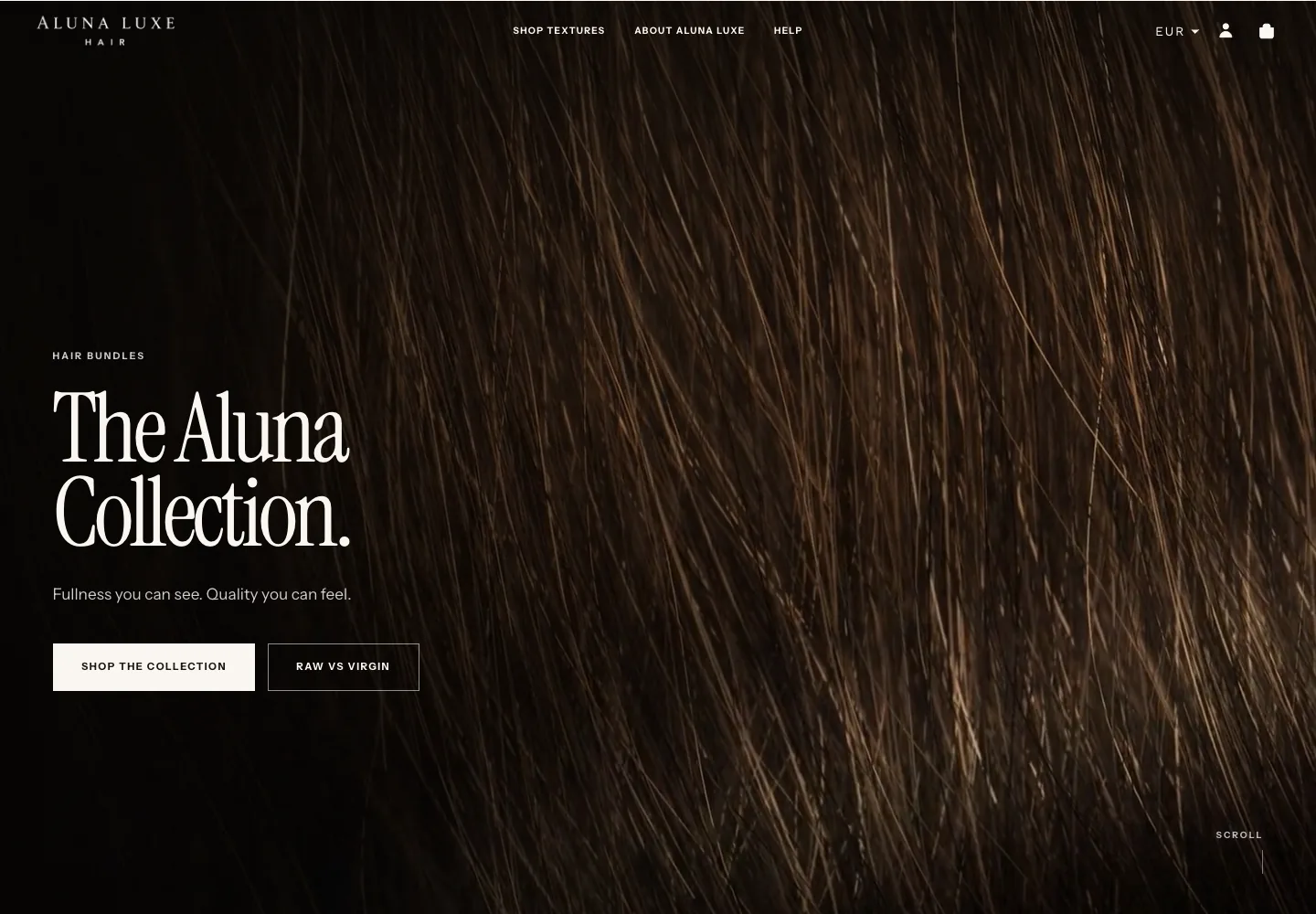
Aluna Luxe rebuild homepage on desktop, opening with The Aluna Collection.
Client project · Unpublished rebuild
Year
2026
Role
Strategy, design, Shopify build and pre-release checks
Type
Digital experiences · Systems

Scope

Store review · Customer journey · Design · Shopify build · Product information · Claim checking · Search basics · Phone, tablet and desktop checks

Status note
The rebuild shown here has not been published. The store still runs its original theme while the owner reviews the new one. Rebuild images are captures of the unpublished preview taken on 24 September 2026; “before” images were captured from the live store on 23 August 2026.

Chapter 01

What customers see first

The old store opened with a countdown sale and a general message about premium hair. The rebuild opens with the collection itself and two clear routes: start shopping, or learn the difference between Raw and Virgin hair.

Before · Original store

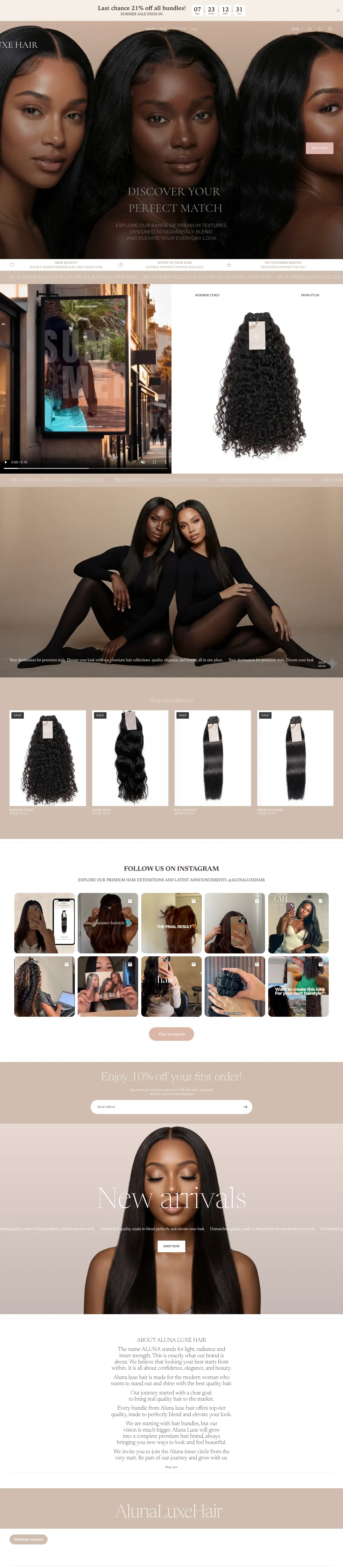
Original Aluna Luxe homepage opening with a “Last chance 21% off all bundles” countdown banner above three models and a Shop Now button.
The first thing visitors saw was a countdown discount, not the hair.

Now · Streetline rebuild

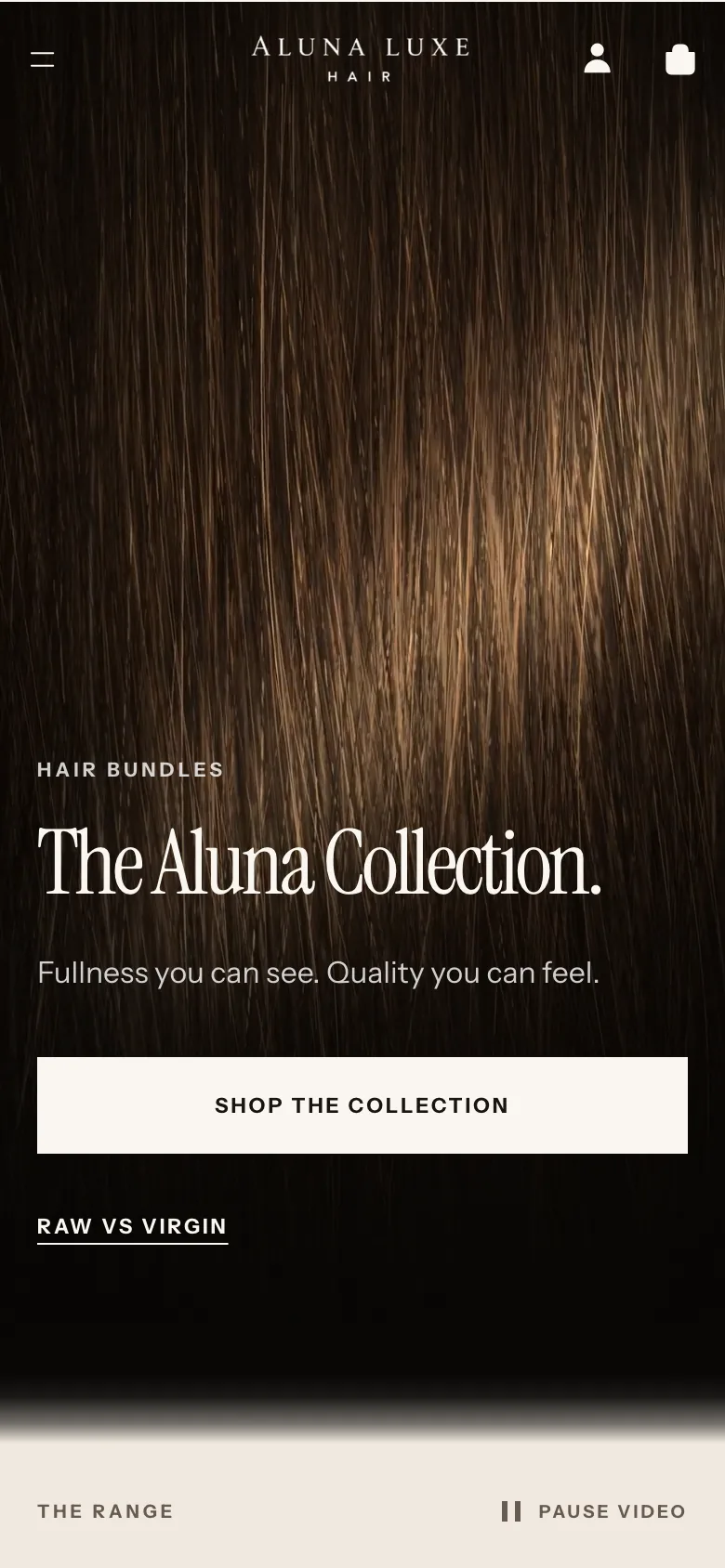
Rebuilt Aluna Luxe homepage opening with the heading The Aluna Collection and buttons for Shop the collection and Raw vs Virgin.
The rebuild leads with the collection, one button to shop and one to understand Raw and Virgin.

Chapter 02

Straight into the products

Just below the opening, the full range appears with each product’s type and starting price, so customers can begin shopping without hunting through the page.

Now · Homepage, first scroll

Rebuilt homepage below the opening: a row naming each product, then Shop the collection with five product cards showing Raw Straight, Virgin Straight, Loose Wavy, Burmese Curly and Cocoa Brown with starting prices.
The range appears near the top. Each product card names its collection, such as Raw · Straight or Virgin · Wavy, and shows a starting price.
The complete original Aluna Luxe homepage from the countdown banner to the footer.

Whole original homepage

Captured from the live store, 23 August 2026.
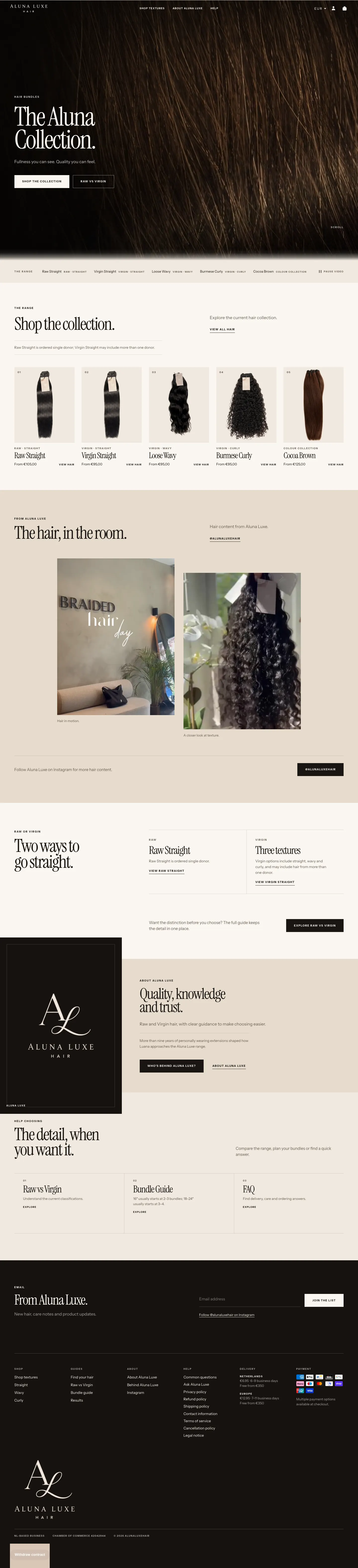
The complete rebuilt Aluna Luxe homepage: opening, product range, Instagram content, Raw or Virgin explanation, brand story, help routes and footer.

Whole rebuilt homepage

Captured from the unpublished preview, 24 September 2026.

Chapter 03

Help for customers who do not know the product names

Two guides turn the linked choices into simple steps. Customers can start from the texture they want, and plan how many bundles they need before anything goes in the cart.

Now · Find Your Hair

Find Your Hair with Straight and then Raw selected, showing the Raw Straight product, its starting price of €105 and a note that 18 to 24 inch lengths usually start at 3 to 4 bundles.
Customers pick a texture. Choosing straight adds one question, Raw or Virgin, then shows the matching product and price.

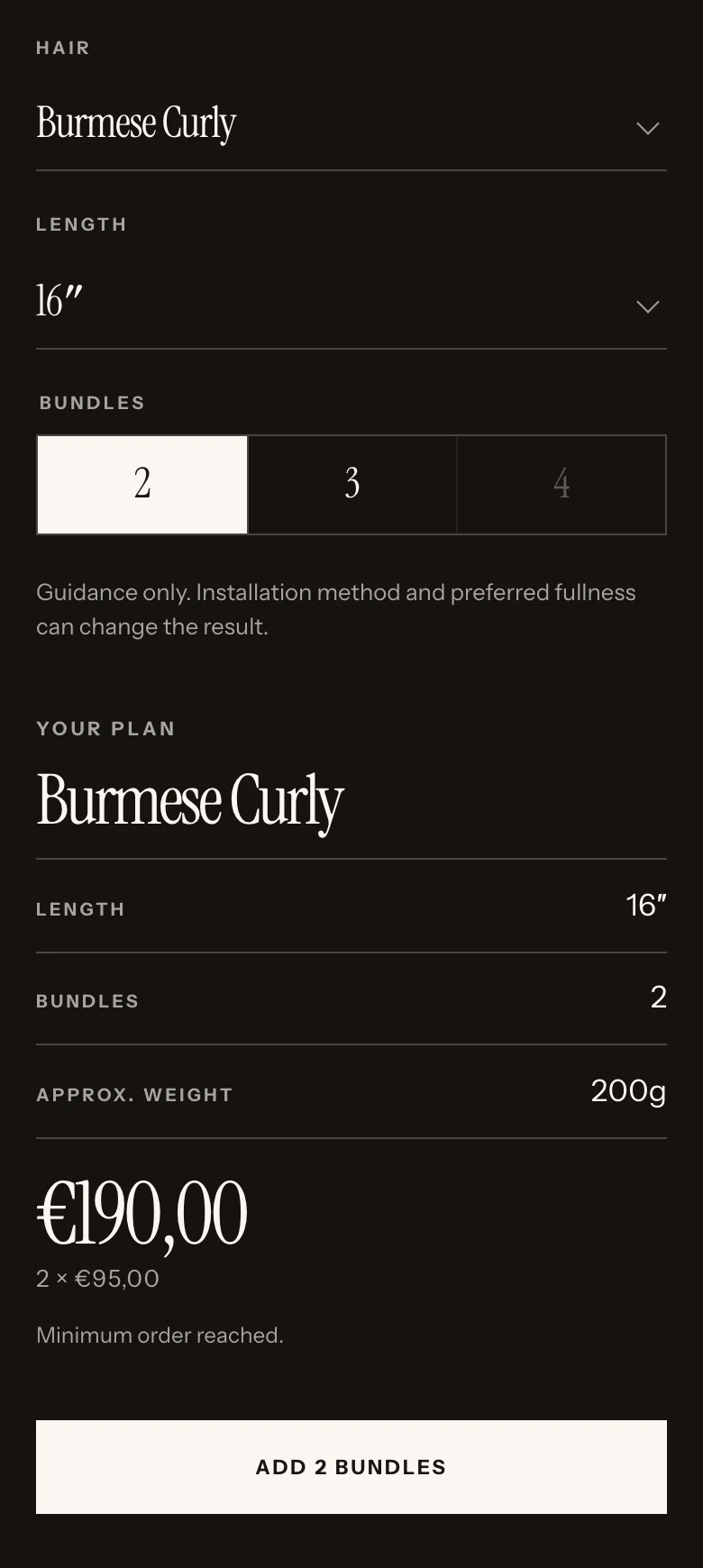
Now · Bundle planner on a phone

Bundle planner on a phone: Burmese Curly chosen as the hair, 16 inches as the length and 2 of 2, 3 or 4 bundles, then a plan showing 16 inches, 2 bundles, approximate weight 200g, a total of €190 and an Add 2 bundles button.
Hair, length and number of bundles are chosen in one place, and the plan shows the approximate weight and total before anything is added to the cart.

Chapter 04

A product page that answers the buying questions

The information customers need to choose now sits next to the length options and the buy button, instead of behind collapsed panels.
Before · Original product page

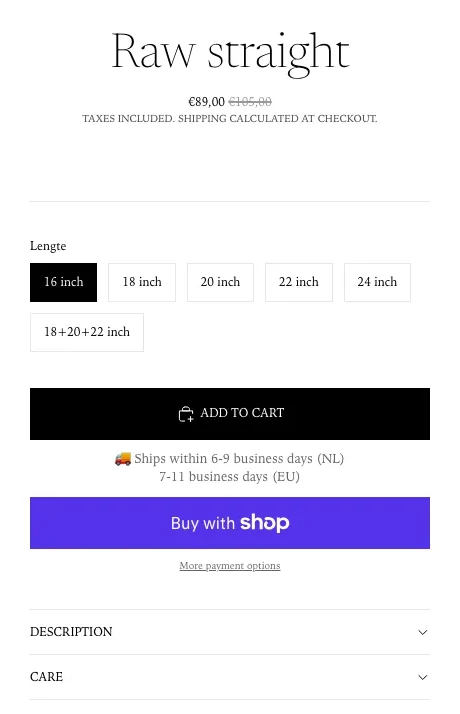
Details column of the original Raw Straight product page: title, sale price, a Lengte (length) option list, Add to cart, delivery times, Buy with Shop, and collapsed Description and Care panels.
Lengths used a Dutch label, and the product description and care details sat inside collapsed panels.

Now · Streetline rebuild

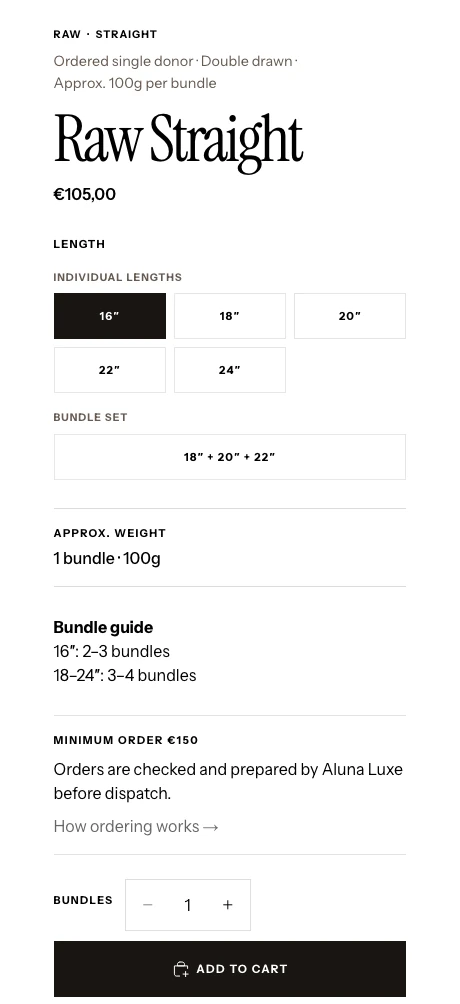
Details column of the rebuilt Raw Straight product page: hair type, price, lengths, bundle set, approximate weight per bundle, a bundle guide, the €150 minimum order, a bundle quantity and Add to cart in one column.
Hair type, weight per bundle, how many bundles to buy and the minimum order sit in one column with the lengths and the buy button.

Prices differ between the two captures because the store’s own prices and promotions changed. Streetline did not set prices and makes no claim about them.

Chapter 05

The same clarity on a phone

On a small screen the product page reads top to bottom as one decision: what the hair is, which length, how much it weighs, how many bundles, then add to cart.
Before · Product page on a phone

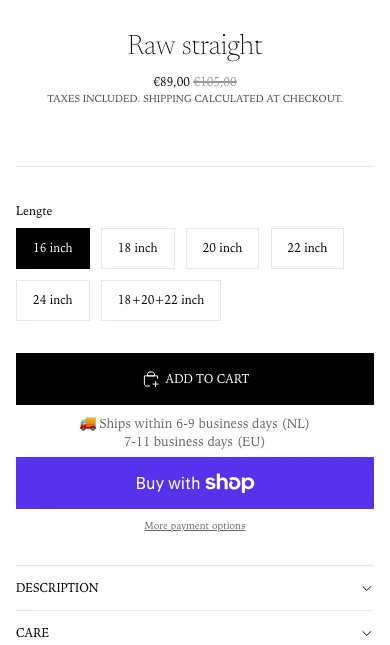
Original Raw Straight product page on a phone: title, sale price, Lengte options, Add to cart and collapsed Description and Care panels.
Price, lengths, delivery times and the buy buttons were visible. The description and care details were behind a tap.

Now · Product page on a phone

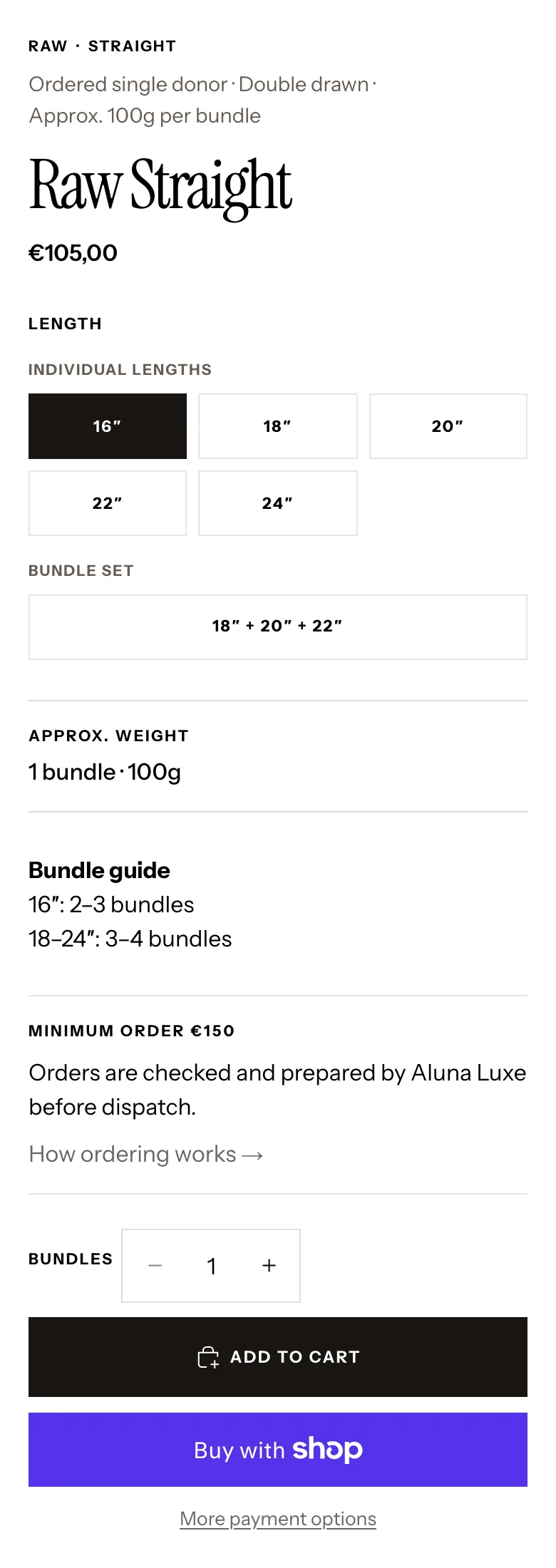
Rebuilt Raw Straight product page on a phone: hair type, price, lengths, bundle set, approximate weight, bundle guide, minimum order, quantity and Add to cart in one column.
Everything needed to choose is visible in one scroll before Add to cart.

Chapter 06

Checked before the owner’s review

The full buying journey was checked on phone, tablet and desktop. Product details were compared with the real Shopify store, and claims the business could not yet support, such as where the hair comes from or how long it lasts, were left out rather than guessed.

Where it stands

The rebuild is ready for the owner’s final review and has not been published. The store still runs its original theme, so there are no before-and-after sales or search results to report.

Next move: If the owner approves it, publish the rebuild, then compare a matching period of store data with the month before it before drawing any conclusions.

  • VIPONSSI V2 camera startup at the desktop breakpoint.
    VIPONSSI V2 camera startup at the mobile breakpoint.
    Desktop and mobile interface previews
    Client project · In progress

    VIPONSSI

    The brand needed a digital presence with the same point of view as the clothes.

    Digital experiencesIdentity-led digital experience
  • Solasave responsive pre-launch website at the desktop breakpoint.
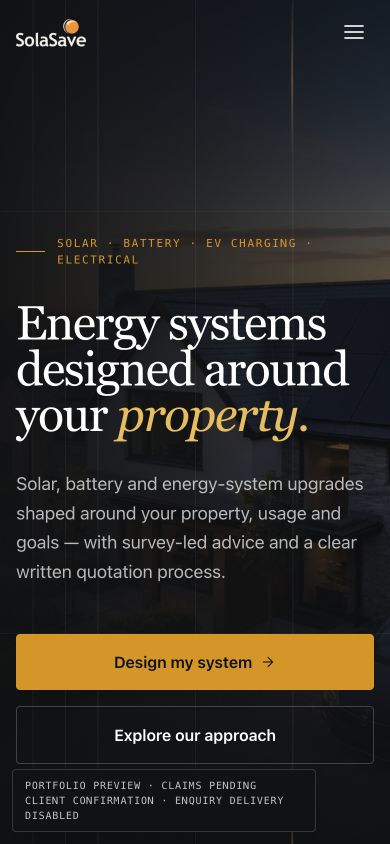
    Solasave responsive pre-launch website at the mobile breakpoint.
    Desktop and mobile interface previews
    Client project · Pre-launch

    Solasave

    Customers need to understand the services and trust the claims before they enquire.

    Systems · Digital experiencesBusiness website and enquiry journey

Facing a similar constraint?

Explain what is happening now and where the current setup falls short.